

Setting Up Your Amazon KDP Account
First things first: you've gotta have an account before you can upload your book

About this newsletter: I’ve written a children’s book, and I’m going to self-publish it. I’m sharing everything I learn as I make that exciting journey.
Before you can self-publish a book via Amazon KDP (Kindle Direct Publishing), you need to set up a KDP account.
And before you can set up a KDP account, you need to have a regular Amazon account.
First step: go to kdp.amazon.com and either create an Amazon account, or sign in with your existing Amazon account information.
When you create your KDP account, you’ll be entering the following:
1) identity-related info (name, address, date of birth, mobile phone number)
2) payment information so KDP can send you royalties via direct deposit (your bank’s routing number, your checking or savings account number)
3) tax-related info (your Social Security Number or an equivalent Tax Identification Number)
There are other payment options, and you can find more tax information here.
You can also check KDP’s Help Center which has answers to just about every question you can think of.
I’ll walk you through my own account setup experience via some screenshots. Here’s the first one. Being a cautious sort, I’ve “oranged-out” my personal info.
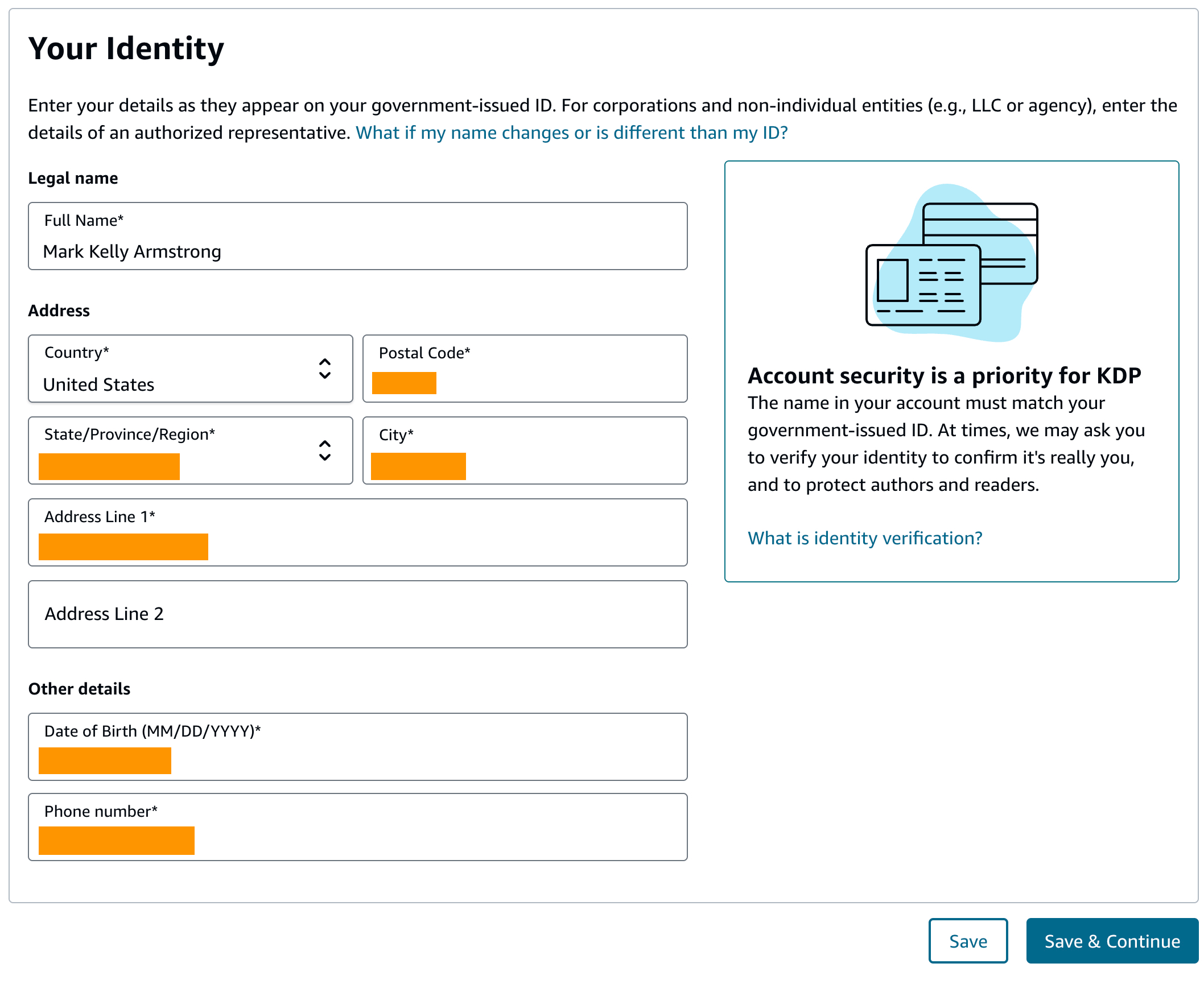
Notice that first line: “Enter your details as they appear on your government-issued ID.”
That warning is repeated in the “Account security” block on the right: “The name in your account must match your government-issued ID.”
That’s why I entered “Mark Kelly Armstrong” as my legal name— it’s the name on my driver’s license.
I was glad I did because a couple of weeks after I set up the account, I got an email from Amazon saying I needed to verify my ID.
You’ll need to submit a valid government-issued ID so we can confirm your identity. We recommend completing this action via mobile device for easier use. Once you verify your identity, you can continue using KDP’s publishing features.
If you do not complete your identity verification, your account will be terminated (my emphasis).
I had to take front and back photos of my driver’s license. Amazon recommends using a mobile phone to take the photos, but I used a scanner. I used my image-editing program, Pixelmator Pro, to create JPEGs from the scanned images.
When I signed into my KDP account, I was prompted to upload the images. I was then transferred to a third-party site for verification. It took less than a minute and was successful.
So be prepared— you will be asked to verify your identity after you set up your KDP account.
Also: as you can see in the above screenshot, you’ll be asked to enter your phone number. Just to be clear: it needs to be your mobile number, not a landline.
My experience has been that when I sign into my KDP account, Amazon texts a verification code to my mobile. I have to enter that code before I can access the account.
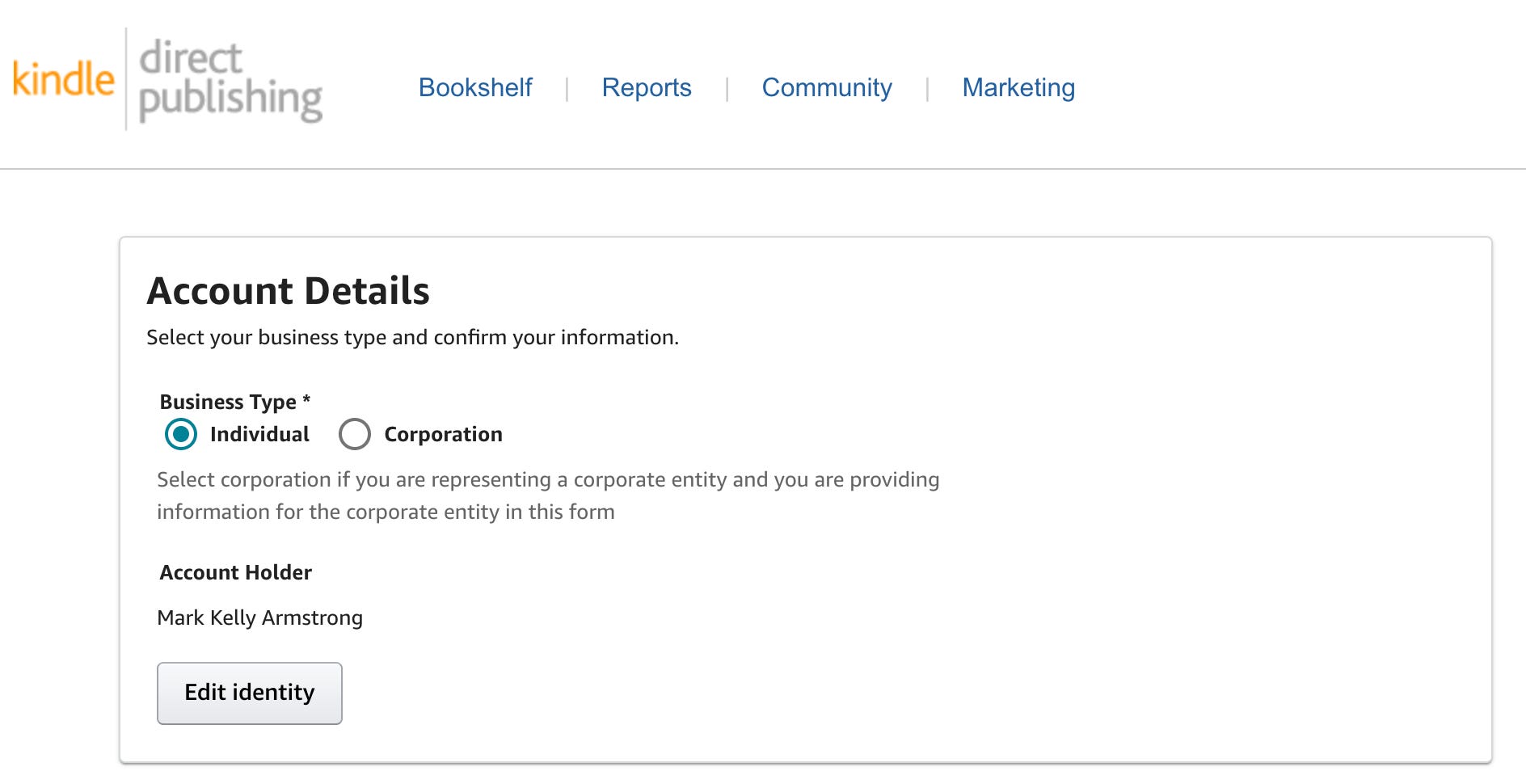
After entering your name, address, etc, you’ll be asked to enter your Business Type: Individual or Corporate.
That’s an easy one for most of us: Individual, which means sole proprietor.
The main reason for going Corporate (forming an LLC, a Limited Liability Company) seems to be liability protection: if you’re a sole proprietor, your personal assets are at risk if your book infringes on copyright or faces legal issues. An LLC separates your personal assets from your business liabilities, reducing monetary risk.
I don’t think most of us have to worry about that.
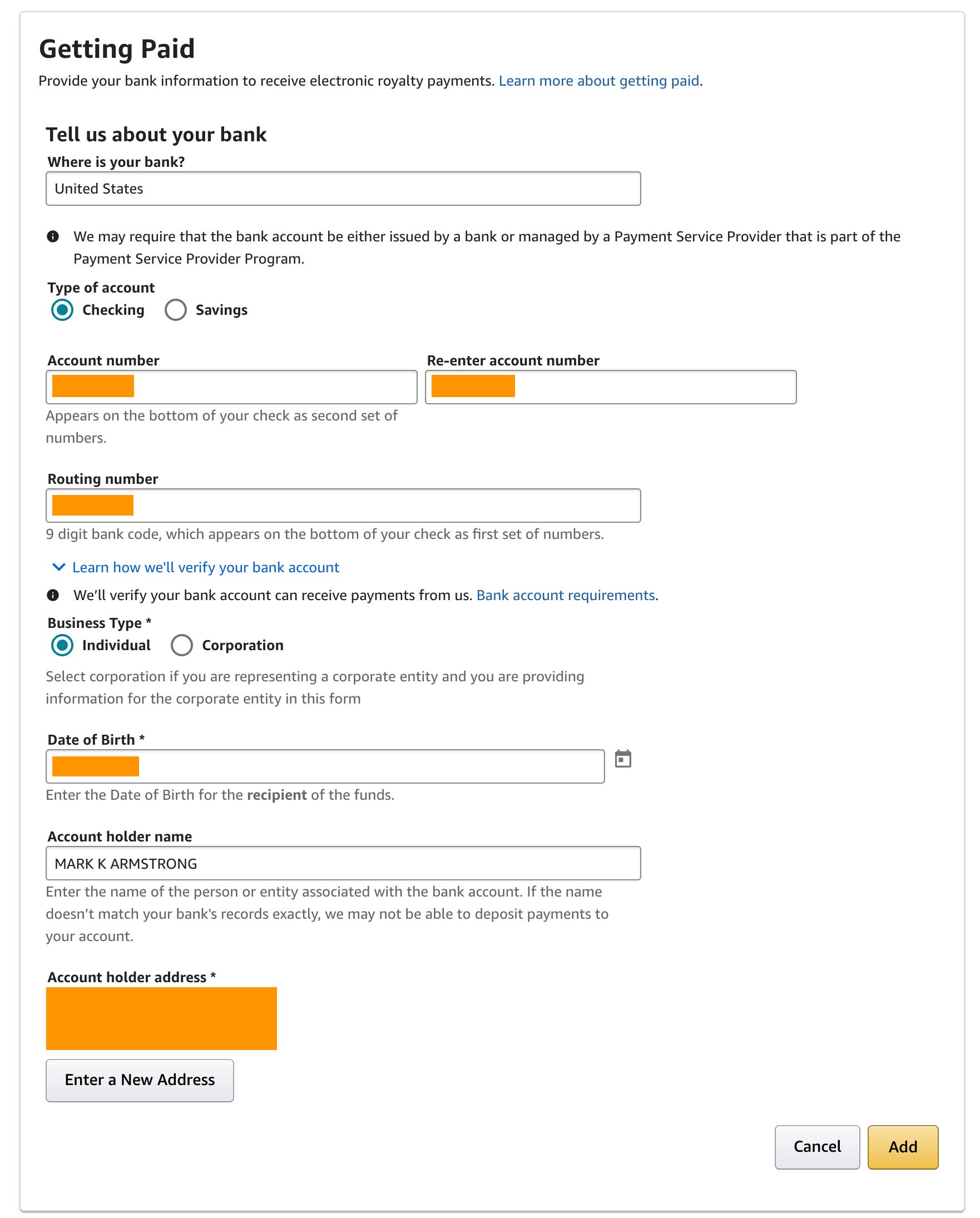
Next, you’ll be asked to supply information about your bank so Amazon can send you future book royalties via direct deposit.
You’ll need to choose either a checking or savings account, and supply the account number and the bank’s routing number.
Note the warning near the bottom: “If the name doesn’t match your bank’s records exactly, we may not be able to deposit payments to your account.”
I entered my name as “Mark K Armstrong” because that’s what it says on my checks.
As mentioned above, there are other payment options, but Amazon recommends direct deposit as the fastest and most secure way to receive payments.
Finally, you’ll be asked to provide a taxpayer identification number for tax reporting purposes.
For most of us here in the United States, that will be our Social Security Number.
For information on other tax ID options, and what to do if you’re a non-U.S. author/publisher, see Amazon’s Tax Information Help Page.
Important note re the Name field: enter your name exactly as it appears on your Social Security card or income tax return.
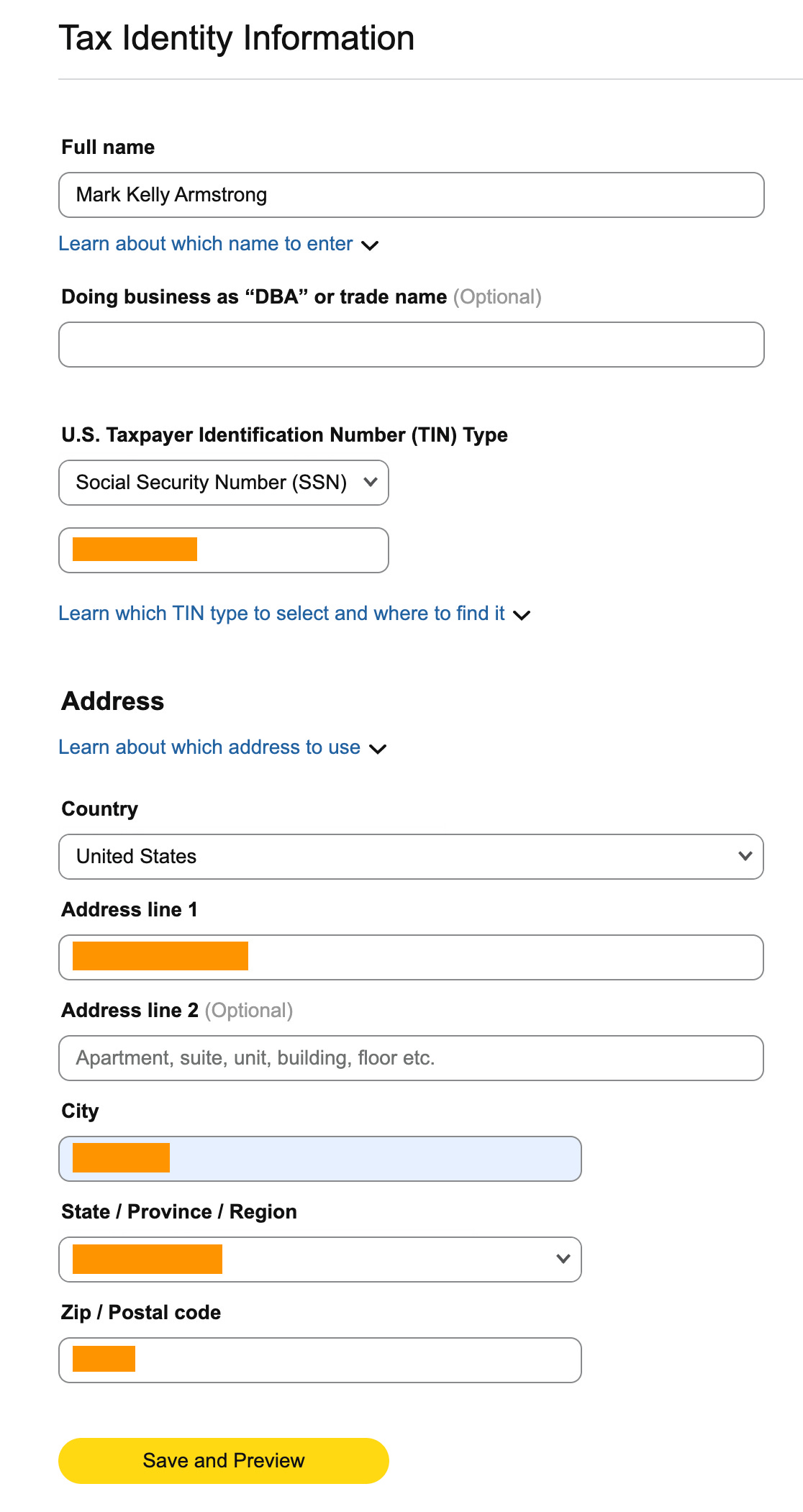
You’ll also need to (electronically) sign IRS Tax Form W-9, certifying that the Tax ID/Social Security Number you gave Amazon is correct.
Amazon needs to have a W-9 on file for you since it’ll be paying you royalties and is obliged to report that income to the IRS (Internal Revenue Service).
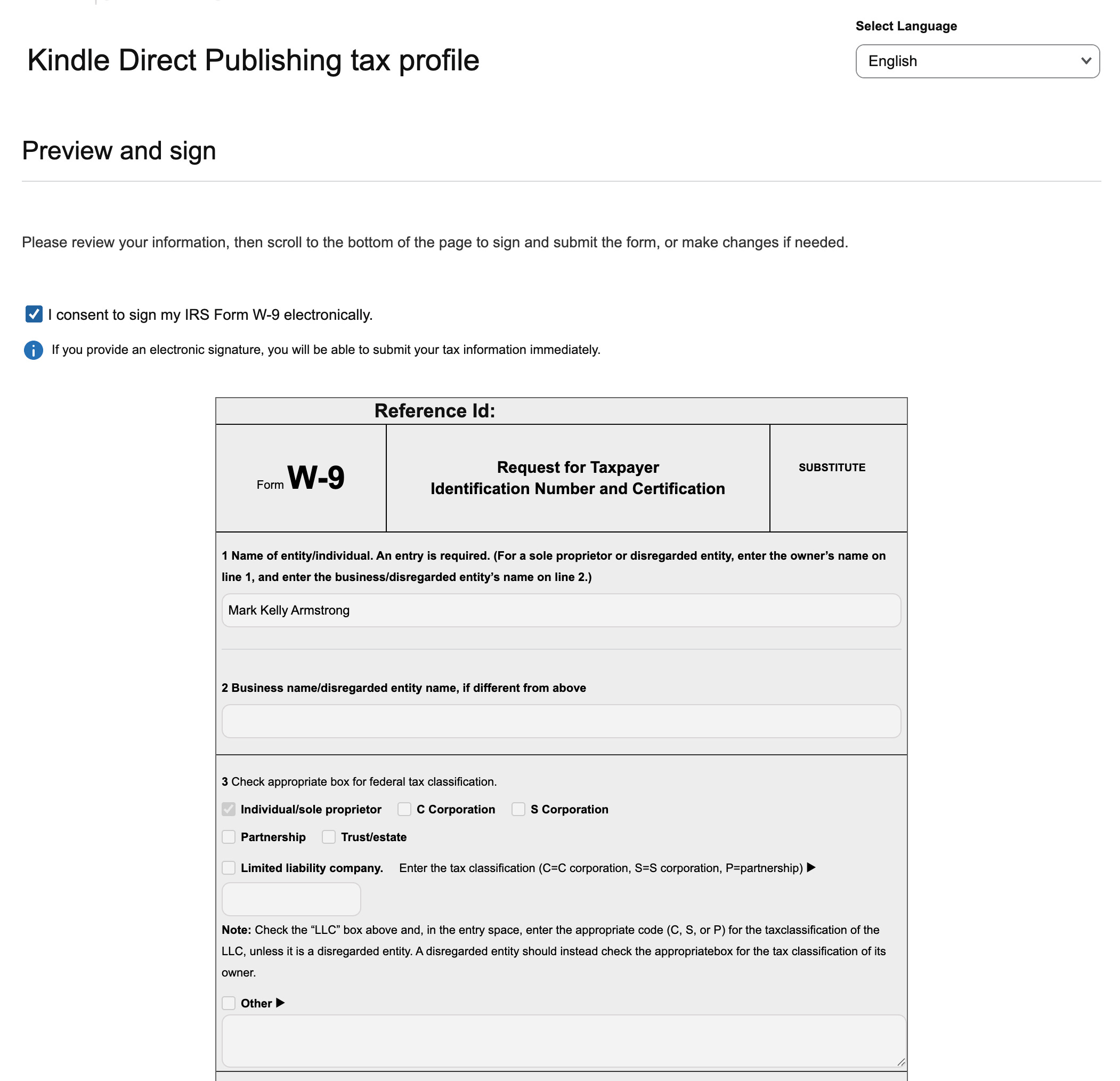
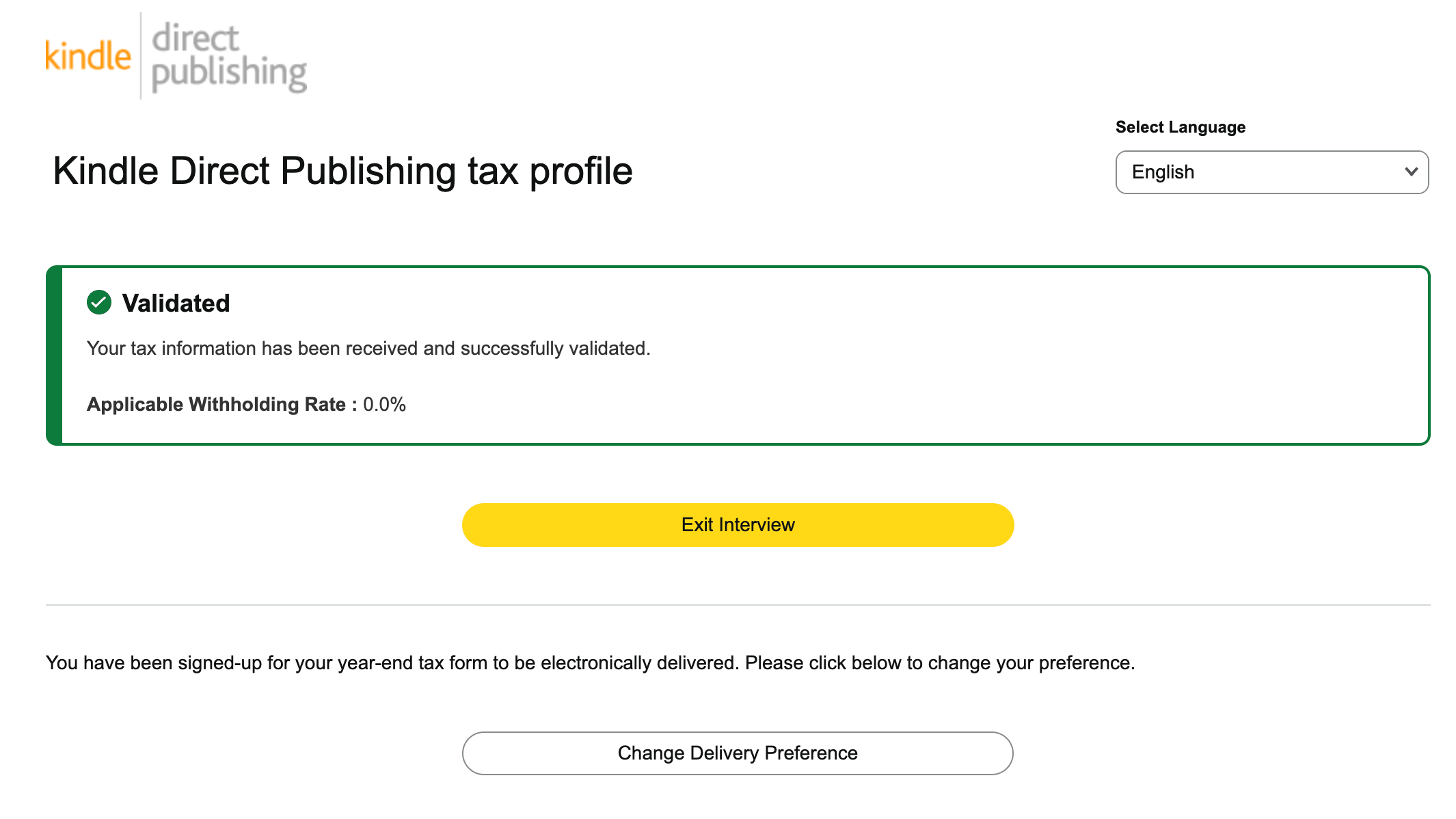
Once you submit your tax information, including the W-9, you should receive a message saying your tax info was received and successfully validated (see screenshot below).
If you receive a message saying your tax info is incomplete, see this Help page for a list of things which may be causing the problem.
Two final thoughts:
As mentioned, you will almost certainly be asked at some future point to verify your identity— so be prepared. Make sure you enter your name exactly as it appears on your government-issued ID (e.g., driver’s license, passport).
At some point during the KDP account setup process, you’ll be asked to check a box saying you agree to Amazon KDP’s Terms & Conditions. It’s a lot of fine print, but I’d recommend taking a look. You can read the whole thing here.
Good luck, hope this helps!!
About Mark Armstrong: Mark’s an illustrator specializing in humor, branding, and content marketing. He writes about marketing and visual communication. He also writes humor, short fiction, and the occasional reflection. Fred The Coconut is his first children’s book.
Not a subscriber yet?? Hey, we can fix that!! Just click the banner below. 👇

Great tutorial, Mark. Something every writer needs to know. I'm sure some things have changed since I put my first one on there so many years ago. I appreciate this refresher course, Professor Armstrong.